


Download Stratiform – Firefox UI Customizer, Free & Secure
Overview
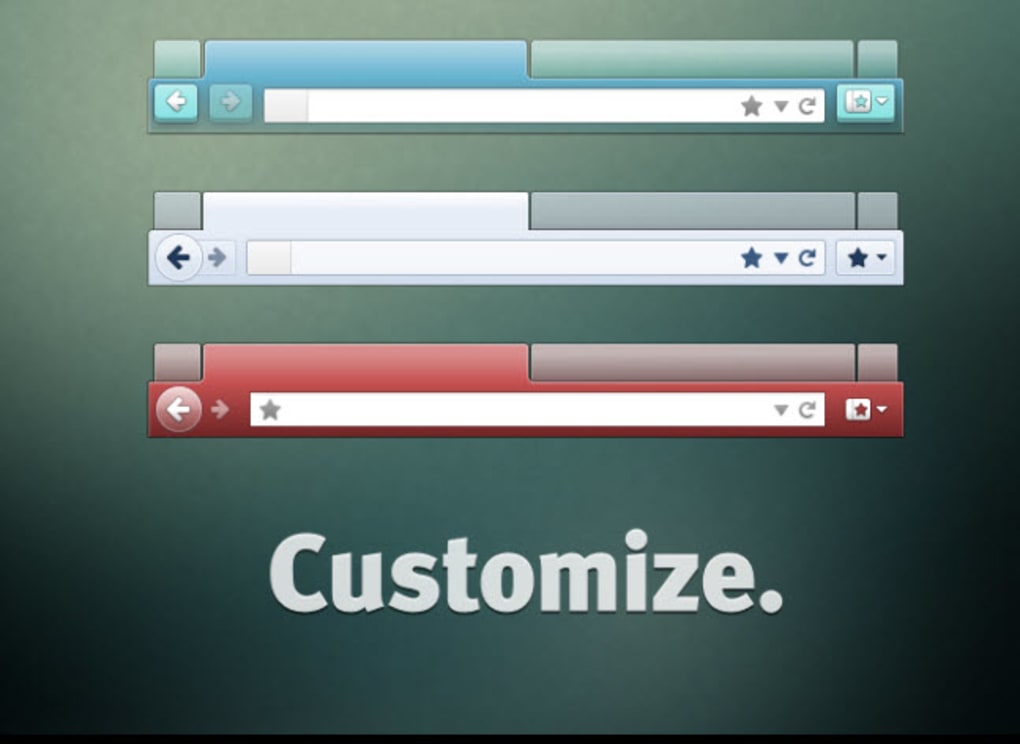
Stratiform is a lightweight, free Firefox add‑on that puts the power of visual personalization directly in the hands of the user. While Mozilla ships Firefox with a respectable gallery of pre‑made color themes, many power users and designers crave a deeper level of control—something that goes beyond a simple palette swap. Stratiform answers that call by exposing a clean, in‑browser control panel that lets you tweak toolbar hues, tab dimensions, button icons, and even the background of text fields.
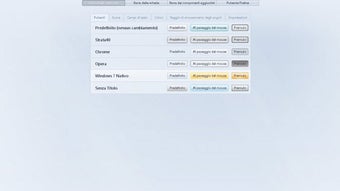
The interface lives to the right of the bookmarks bar, so you never have to leave the page you’re browsing to launch the customizer. A single click opens a tab‑styled window where you can adjust hexadecimal color codes, select predefined size presets, and preview changes in real time. Because it works on top of Firefox’s native styling engine, the changes are applied instantly without the need for a browser restart.
Stratiform shines for users who want a bespoke browsing environment—whether that means matching a corporate brand, creating a dark‑mode workspace that reduces eye strain, or simply adding a splash of personality to the everyday web experience. However, the flexibility comes with a trade‑off: because Stratiform rewrites UI elements that other extensions may also target, incompatibilities can arise, especially with add‑ons that manipulate the same toolbar or tab areas. Despite this, the add‑on remains a solid choice for anyone who values visual freedom and is comfortable managing a small set of potential conflicts.
Key Features of Stratiform
- Full‑Spectrum Color Editing – Input any HEX, RGB, or HSL value to recolor toolbars, menus, and text‑field backgrounds.
- Dynamic Tab Sizing – Choose from preset tab heights or define custom pixel values for a tighter or more spacious tab bar.
- Button & Icon Re‑theming – Override default Firefox icons with custom SVG or PNG assets, allowing brand‑consistent branding.
- Live Preview Mode – See every change in real time without needing to reload the browser, ensuring you get exactly the look you want.
- One‑Click Reset – Instantly revert to Firefox’s default theme if you decide the custom look isn’t for you.
- Export / Import Profiles – Save a complete UI configuration as a JSON file and import it on another device, making multi‑machine setups effortless.
- Lightweight Architecture – The add‑on adds less than 200 KB to Firefox’s memory footprint, keeping performance smooth.
- Secure Update Mechanism – Receives signed updates through Mozilla’s Add‑on Marketplace, guaranteeing authenticity and safety.
- Cross‑Platform Support – Works consistently on Windows, macOS, and Linux builds of Firefox, as long as the version is 78 or newer.
- Compatibility Mode – An optional setting that reduces UI overrides to avoid conflicts with other popular extensions.
Installation and Step‑by‑Step Usage Guide
Getting Stratiform up and running is a straightforward process that can be completed in under five minutes, even for users who are new to Firefox add‑ons. Follow these steps to install and start customizing your browser:
- Visit the Mozilla Add‑on Store – Open Firefox and navigate to the official Stratiform page on addons.mozilla.org. This ensures you download the authentic, signed version.
- Click “Add to Firefox” – A prompt will appear asking for permission to access browser UI elements. Review the permissions; they are limited to styling components only.
- Confirm Installation – After clicking “Add”, Firefox will download and install the add‑on. You’ll see a brief notification confirming the successful installation.
- Locate the Stratiform Icon – An icon resembling a paintbrush appears to the right of the bookmarks bar. Clicking it opens the customization panel in a new tab.
- Explore the Control Panel – The panel is divided into sections: “Colors”, “Sizes”, “Icons”, and “Advanced”. Each section offers a set of sliders, color pickers, or file upload fields.
- Make Your First Change – For example, to change the toolbar background, go to “Colors”, select the toolbar element, and either pick a color from the palette or paste a HEX code. The change appears instantly.
- Fine‑Tune Tab Width – Switch to the “Sizes” tab, adjust the “Tab Height” slider, and watch how the tab bar expands or contracts in real time.
- Save or Export Your Theme – Once satisfied, click “Save Profile”. You can also export the profile as a JSON file for future use or sharing.
- Reset If Needed – At any point, click the “Reset to Default” button at the bottom of the panel to revert all changes.
- Update Management – Stratiform automatically checks for updates via the Mozilla Marketplace. When an update is available, a discreet banner will appear, and you can apply it with a single click.
Using Stratiform is as intuitive as editing a graphic design tool, yet it never requires you to leave the current webpage. This seamless workflow makes it ideal for professionals who need a consistent visual environment across multiple tabs and windows.
Compatibility, Pros and Cons
Stratiform is designed for all major operating systems that support Firefox: Windows 10/11, macOS 10.14+ (Catalina and later), and popular Linux distributions such as Ubuntu, Fedora, and Debian. The add‑on requires Firefox version 78 or newer, as it relies on the newer UI CSS variables introduced in that release.
Pros
- Extensive color and size control gives users a truly personalized browsing experience.
- Live preview eliminates guesswork and speeds up the design process.
- Export/Import functionality simplifies theme sharing across devices.
- Lightweight and fast, adding negligible overhead to browser performance.
- Secure, signed updates from Mozilla’s official marketplace protect against malicious code.
- Compatibility mode helps mitigate conflicts with other UI‑modifying extensions.
- Free to download and use, with no hidden subscription fees.
Cons
- Potential incompatibility with other add‑ons that also modify the toolbar or tab bar.
- Advanced icon replacement requires external image preparation, which may be daunting for non‑technical users.
- Some UI elements (e.g., built‑in Firefox menus) are not fully exposed for customization.
- Changes are stored locally; moving to a new machine requires manual export/import.
- Occasional UI glitches can occur after Firefox major updates, requiring a quick reset.
Frequently Asked Questions
Can I use Stratiform together with other Firefox UI‑customizing add‑ons?
Stratiform can coexist with most extensions, but conflicts may arise if another add‑on modifies the same CSS variables (for example, other theme or toolbar‑tweaking tools). Enabling the “Compatibility Mode” in Stratiform’s settings reduces the number of overridden elements, which often resolves such clashes. If problems persist, you may need to disable the competing extension temporarily.
Is Stratiform safe to install from the Mozilla Add‑on Store?
Yes. Stratiform is signed and distributed through Mozilla’s official add‑on marketplace, which performs security checks and code reviews. The add‑on does not collect personal data, and all updates are delivered through the same secure channel.
Do I need any programming knowledge to use Stratiform?
No. The UI is built for non‑technical users. Color pickers, sliders, and dropdown menus handle most customizations. Only if you want to replace default icons with custom SVG or PNG files will you need basic image‑editing skills.
Will Stratiform affect my browsing speed or memory usage?
The add‑on is lightweight, adding roughly 200 KB to the browser’s memory footprint. Because it only changes CSS properties, there is no noticeable impact on page load times or overall performance.
How can I back up my custom theme?
From the Stratiform control panel, click the “Export Profile” button. This creates a JSON file containing all of your color codes, size settings, and icon paths. Save the file to a secure location or cloud storage. To restore, simply use the “Import Profile” feature and select the saved JSON file.
Conclusion – Should You Download Stratiform?
For Firefox enthusiasts who view their browser as an extension of their personal or professional brand, Stratiform delivers a robust, free, and secure way to fine‑tune every visual detail. Its live preview, extensive color palette, and size controls make it stand out from basic theme add‑ons, while the export/import feature ensures that your hard‑won design can travel with you across devices. The primary caveat remains potential conflicts with other UI‑modifying extensions, but the built‑in compatibility mode and straightforward reset options keep those issues manageable. If you value a sleek, personalized browsing environment and don’t mind a brief setup process, Stratiform is a worthwhile addition to your Firefox toolkit. Click the “Add to Firefox” button on the official add‑on page, follow the quick installation steps, and start shaping a browser that truly feels like yours.







